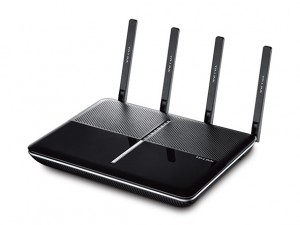
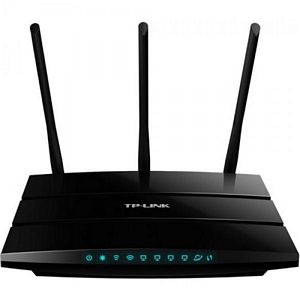
See our reviews section for router performance analysis.
A wireless router is the most important component of your home network. It allows you to connect your home network to an Internet source. It also enables the devices connected to the home network to communicate wirelessly with one another, making it easier to exchange files and print documents.
As wireless technology continues to make headway, there are more and more options and features found in a wireless router than ever before. As a result, it has become more complicated to find a networking device that is suitable for your needs and budget.
Here are some tips for choosing a wireless router for your home networking needs:
Do You Need a Router?
While wireless routers are extremely useful devices, they aren’t meant for everyone. If your only requirement is to connect a single wired device, such as laptop or computer to the Internet, you don’t need a wireless router. On the other hand, if there are more devices that need to be connected or perhaps devices that can only be connected wirelessly, such as mobile phones and tablets, then investing in a wireless router makes sense.
Determine Your Needs
If you’re certain that you need a wireless router, you must find out how high-end you’re willing to go with the networking device. If your only requirement is to create a wireless network, you can easily get away with an economical device priced lower than $100 on the market. On the other hand, if you seek additional features, such as parental controls, network security, USB support and data sharing capability, you have to consider some of the premium routers that are more high-priced.
What Level of Network User are You?
For basic users who only want to browse the Web on a wireless network, a single-band router is a good performer. It also offers the additional benefit of being the only touchscreen router on the market that can be configured and connected to the Internet from the router without the need to connect to a computer.
On the other hand, a heavy-duty gamer, a small home business or a multimedia enthusiast may require more powerful capabilities, such as Netgear’s Nighthawk, Asus Dual-band AC1750 or Buffalo’s AirStation Extreme AC1750.
Single Band or Dual Band?
Bands are an important term in the world of routers. Bands are the frequencies in which the wireless communications operate.
Older 802.11b and 802.11g routers operate only on the 2.4 GHz band. 802.11n and 802.11ac routers are typically dual-band (2.4 GHz and 5 GHz). 802.11ax (Wi-Fi 6) routers are also dual-band, and Wi-Fi 6E adds a third band at 6 GHz. Wi-Fi 7 (802.11be) supports all three bands simultaneously.
The 5 GHz band provides faster speeds and less interference from neighboring networks, and virtually all modern devices (smartphones, laptops, game consoles) now support it. The 2.4 GHz band offers better range and wall penetration, and is still useful for smart home devices. Most users benefit from a dual-band or tri-band router.
When choosing a single band or dual band router, you must also note that some clients only support a particular band. It helps to review the band(s) supported by the clients you will be connecting to your wireless network.
Bandwidth
The speed numbers printed on router packaging (e.g., AC1750, AX3000, BE25000) represent the combined theoretical maximum across all bands. Actual speeds are lower due to overhead, distance, and interference. As a rule of thumb, the number does not make your internet plan faster — your ISP connection is the bottleneck — but faster internal wireless speeds improve performance between devices on your local network. For a gigabit internet plan, an AX3000 or faster router is recommended.
Security Features
WPA3 is the current security standard. Look for a router that supports WPA3 or WPA2/WPA3 mixed mode. At minimum, ensure the router supports WPA2 — avoid any device that only offers WEP or WPA.
If you have children, you may consider a router with parental control features. Several routers from Asus, Nighthawk and other leading manufacturers offer these capabilities.
Gigabit or not?
The wired ports of a router are either Gigabit Ethernet ports or regular Ethernet ports. A gigabit port is up to 10 times faster than a standard port.
USB Ports
Modern routers generally come with USB support. In some routers, there are even two USB ports. USB3.0 has also been incorporated into modern wireless routers. These are helpful for sharing your USB printer with devices on the network, allowing multiple computers to print wirelessly from the printer. With two USB ports, you can connect the router to a printer as well as an external hard disk. The latter allows you to share data.