Several months ago, I received a phone call from my Internet Service Provider. I was informed that my modem was using old technology. They said it was simply not taking full advantage of the internet service I am using. And upgrading to a newer modem would greatly enhance my user experience.
Of course, I dismissed it as a gimmick to get more money from me. So I politely declined their offer for a new modem.
Several months later, I am realizing that my frustration with my internet service is growing. My brother likes to play games. I like to watch YouTube videos. Together, that takes a toll on our bandwidth.
So I start thinking about my modem and that phone call.
My Old Modem
The modem I was using was aa Motorola SB5101 SURFboard Cable Modem. It served me well for years, but it used DOCSIS 2.0 technology, which capped my throughput well below what my internet plan could deliver.
The problem with this modem was that my brother and I are living together and sharing the modem. He likes to play games and I like to watch YouTube. Both of these activities require high throughput.
My old modem uses DOCSIS 2.0 technology, which is aging. There is a better technology available in modems today called DOCSIS 3.0.
DOCSIS 2.0 vs DOCSIS 3.0
DOCSIS 2.0 uses a single channel for download and a single channel for upload, capping real-world download speeds well below modern internet plan speeds. DOCSIS 3.0 introduced channel bonding: the modem combines multiple channels simultaneously for both download and upload, multiplying available bandwidth.
For context, the current standard is DOCSIS 3.1, which is required for gigabit cable internet service. If your cable modem is still on DOCSIS 3.0, upgrading to a DOCSIS 3.1 modem is the equivalent leap this article describes — and if you are on a gigabit plan without a DOCSIS 3.1 modem, you are almost certainly leaving speed on the table.
My New Modem
My new modem is aa Motorola SB6121 SURFboard DOCSIS 3.0 modem. This is a DOCSIS 3.0 modem.
At the time, DOCSIS 3.0 was the practical choice for most cable internet plans.
Another reason I chose this modem is because it is an Xfinity Internet approved device. Not only that, but it is recommended by Comcast.
Have you figured out who my Internet Service Provider is yet? 🙂
My Real World Results: One Week Before Upgrading and One Week After Upgrading
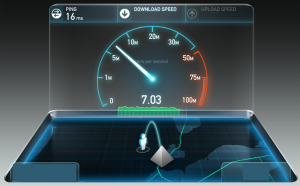
Example test with my old DOCSIS 2.0 modem.
I used speedtest.net to test my connection for a week prior to upgrading and a week after upgrading. There are a total of 32 data points (16 before and 16 after). Here are my speed test results:
My upload stayed about the same. However, my download throughput almost doubled! It went from an average of 12.65 Mbps over a week to about 22.02 Mbps over a week!
HUGE RESULTS! Blazing fast speeds!
How To Figure Out If You Have A DOCSIS 2.0 or DOCSIS 3.0 Modem
All you have to do is search for the model of your modem on the internet and you’ll be able to find out fairly quickly. It will be a main bullet point or feature.
If you know the internal IP address of your modem, you can access the web interface and look around in there for your modem’s features.
Will Everyone Have The Same Results?
No. Your maximum throughput will depend on the package that you’re paying for (your monthly bill for your Internet Service Provider). I happen to be paying for a maximum throughput of 25 Mbps. So, as you can see, I am now making much better use of what I’m paying for.
If I were you, I would do the same speed test several times over the course of a week and compare your average score with what type of throughput you are paying for. Then decide if upgrading your modem is worth it for you. It just may very well be true that you have a DOCSIS 2.0 modem that is sufficient for your internet service.
Do You Need To Upgrade?
If you are on a cable internet plan and want to verify your modem type, search for the model number to confirm its DOCSIS version. ISPs list approved modems on their websites, which is the safest way to confirm compatibility before purchasing.